How to find your UID on Bybit, Binance, OKX, Bitget and BloFin
Main takeaways
- Your UID is the number under your name or email on your exchange profile, with a copy button next to it.
- Use your main account UID: sub-account UIDs don't qualify.
- A UID can only receive money. It can't be used to log in, trade or withdraw, so it is safe to share.
On this page
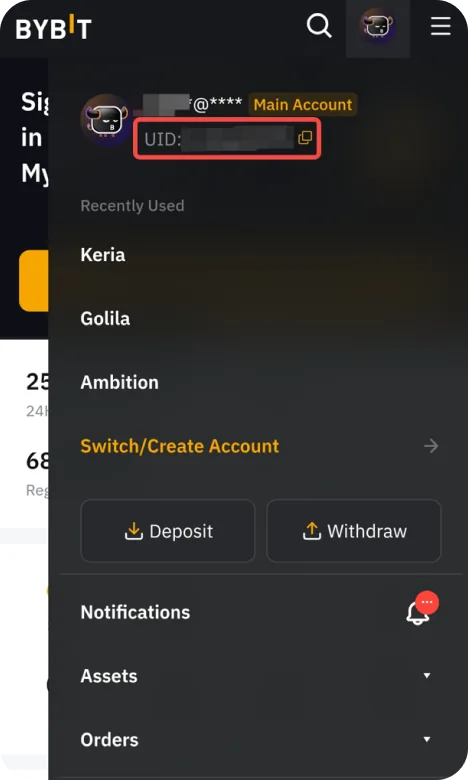
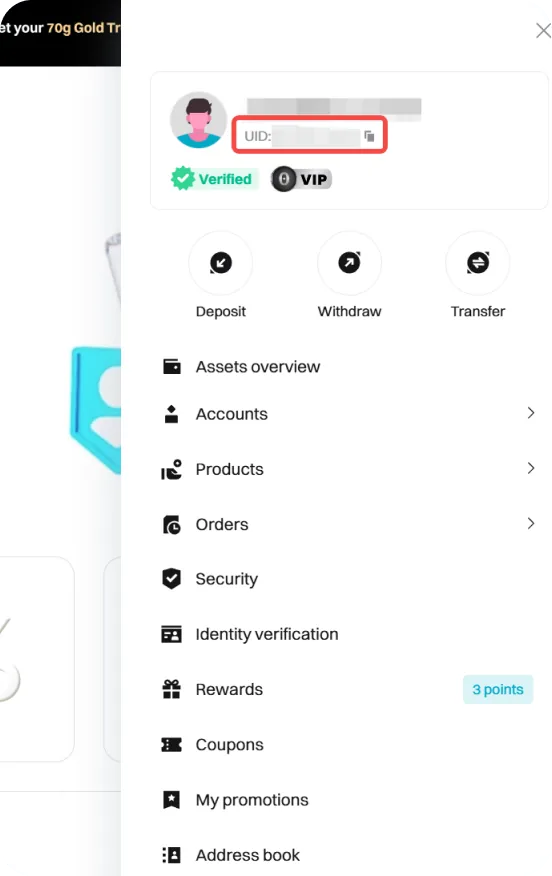
Your UID (user ID) is the number that identifies your exchange account. On every major exchange you find it the same way: open your profile, and the UID is the number under your name or email, with a copy button next to it.
How to find your UID on the website
- Log in to your exchange.
- Click the profile (person) icon at the top right.
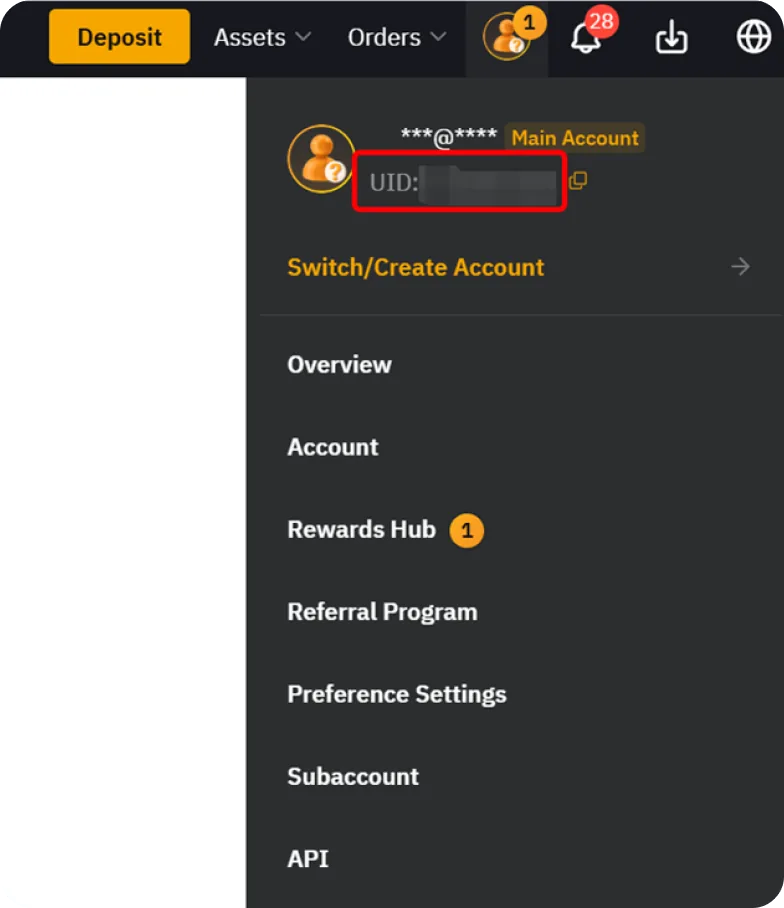
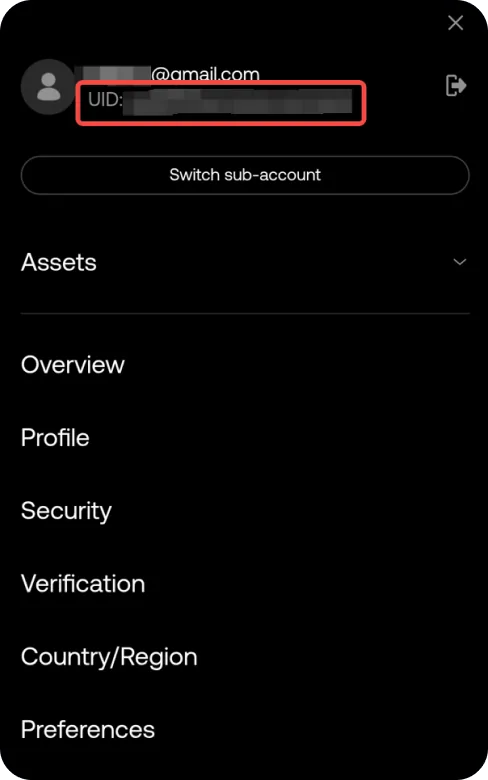
- Your UID is shown under your email or nickname. Click the copy icon next to it.
How to find your UID in the app
- Open the app and log in.
- Tap the profile icon at the top left of the home screen.
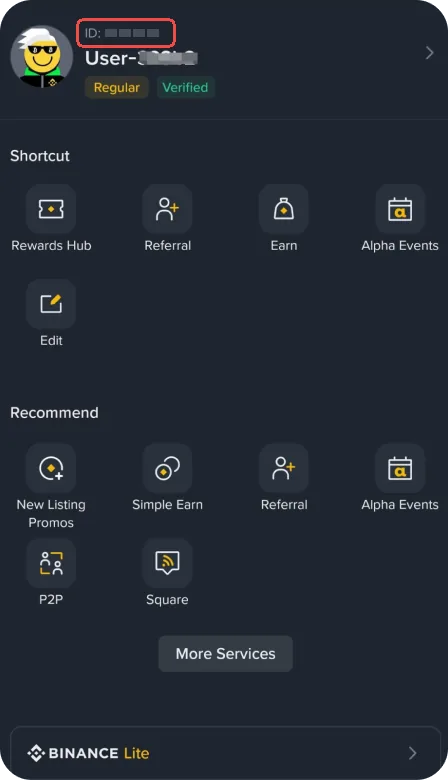
- Your UID is shown under your nickname. Tap the copy icon next to it.
Where the UID is on each exchange
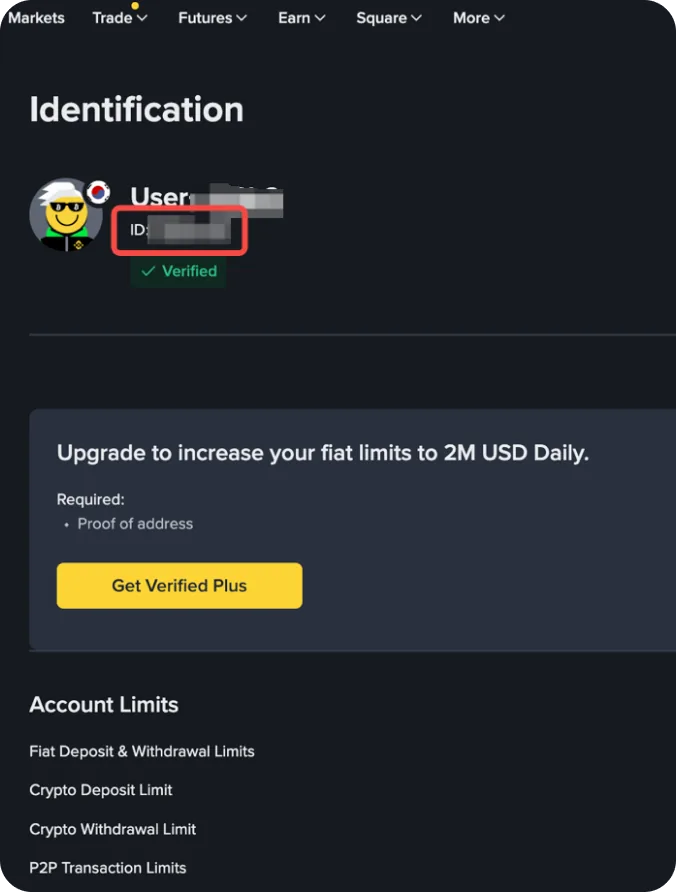
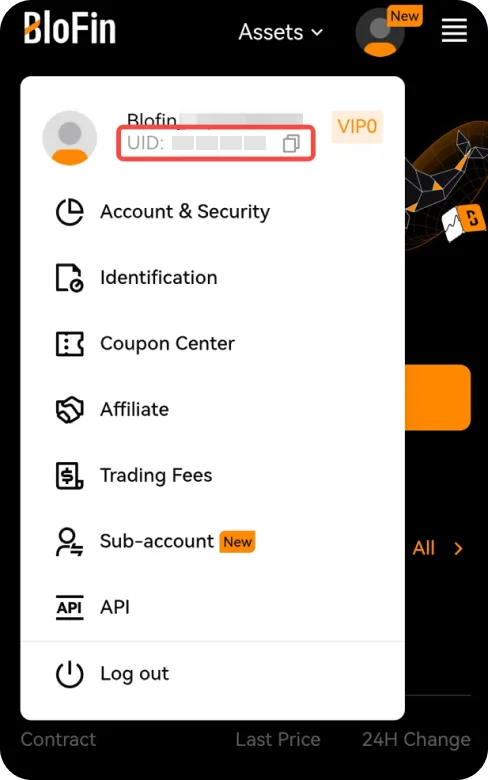
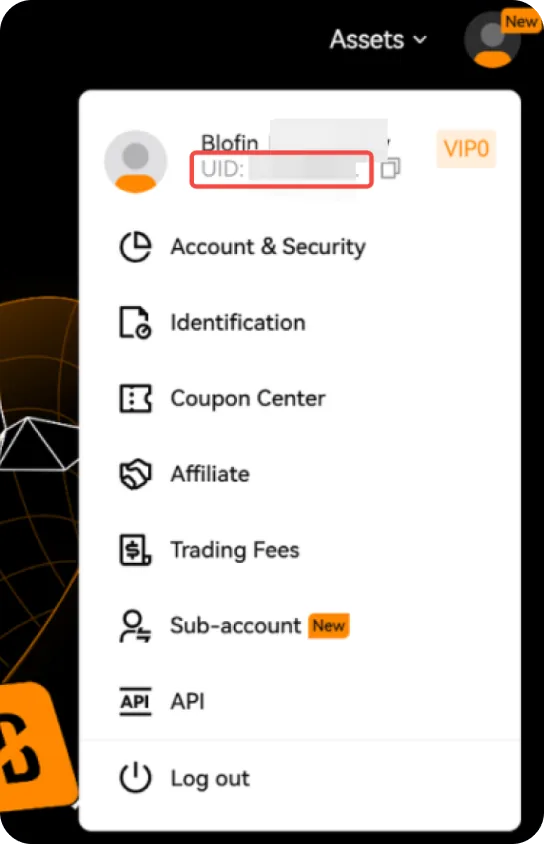
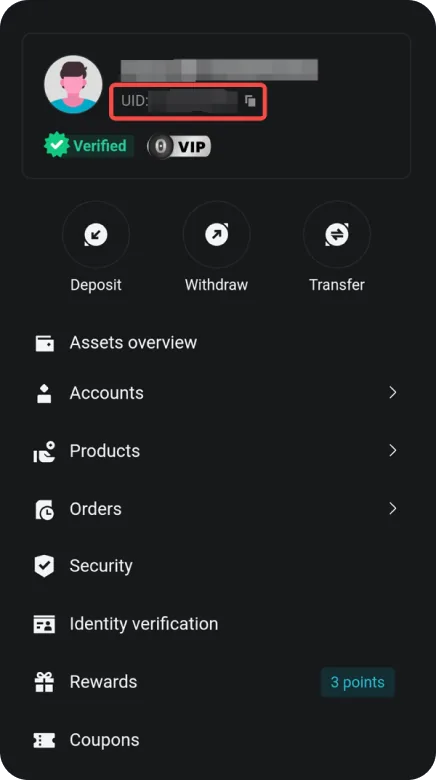
The screenshots show where each exchange puts it, on a phone and on a computer, marked in red (the account numbers are hidden). Exchanges move things around from time to time: if you can't see it, look for "UID" or "User ID" on your account or profile page.
Bybit
Binance
OKX
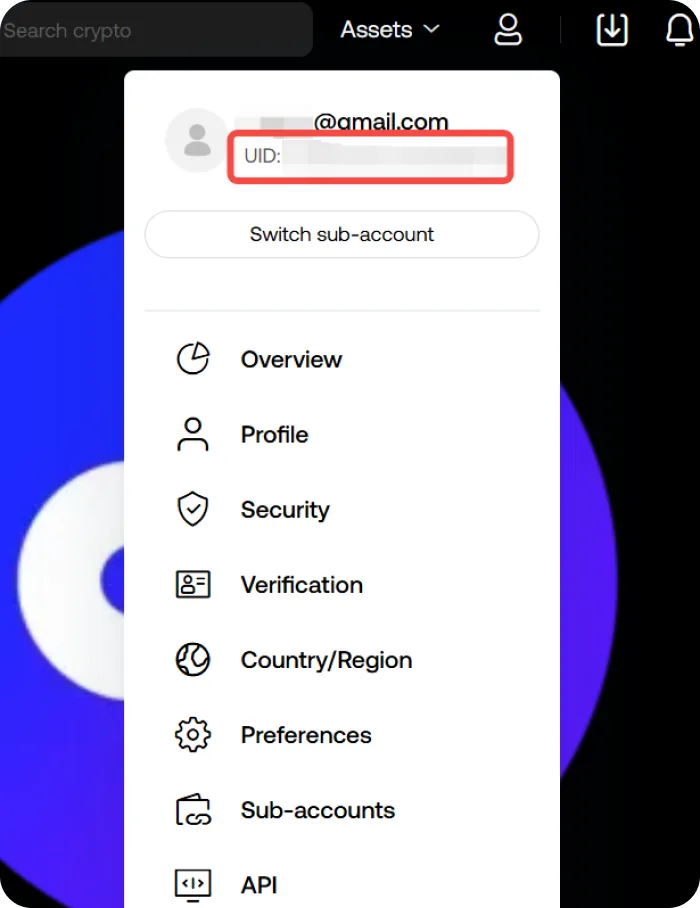
BloFin
Bitget
Main account or sub-account?
Each sub-account has its own UID. Services that pay you, such as Commsback, need your main account UID; sub-account UIDs don't qualify.
Is it safe to share my UID?
Yes. A UID only identifies your account. It can be used to send you money by internal transfer, but not to log in, trade or withdraw. Never share your password, 2FA codes, email login or API keys with anyone.
What to do with your UID
Enter it in Activate cashback on Commsback to get 40% of your trading fees back, paid daily in USDT. The account must have been opened through our link.